
Understanding Features, Labels, and Target Variables in Machine Learning
Features (X) are the input columns fed into a machine learning model to provide evidence, while the label or target variable (y) is the outcome column the model is trained to predict.
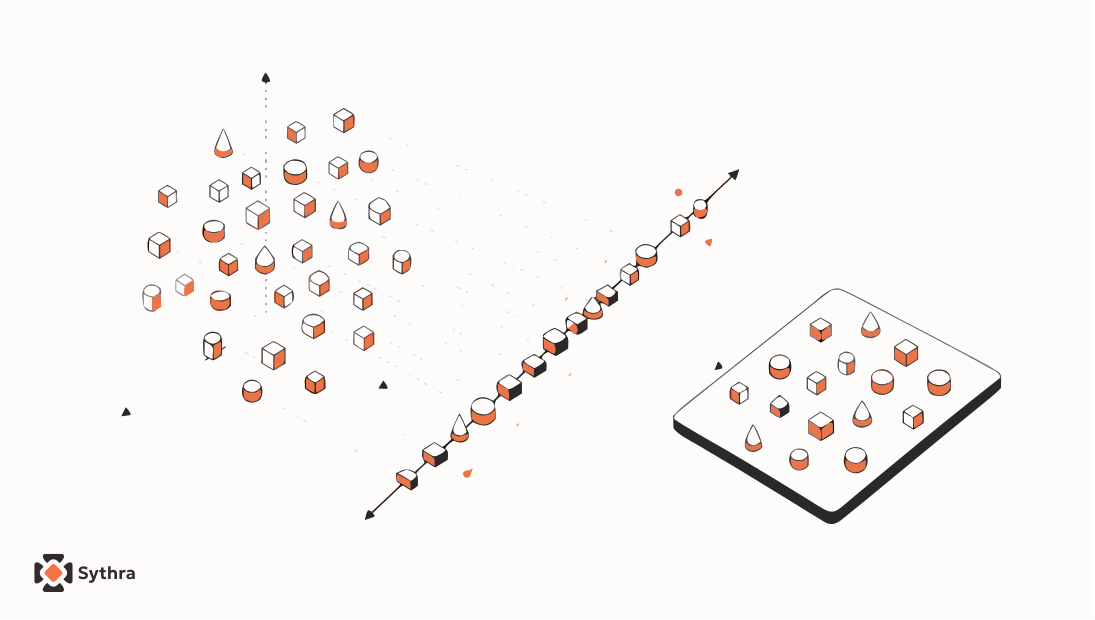
Every supervised machine learning problem begins with a fundamental division: separating the information you are allowed to learn from (the features) from the answer you want to predict (the label or target variable).
What Is a Feature (X)?
A feature (often denoted by the capital letter ) is an individual measurable property or characteristic of the phenomenon being observed. Features are the inputs or clues fed into an algorithm to help it make a prediction.
- In real life: In a real estate model, features might include square footage, number of bedrooms, zip code, and year built.
- In tabular data / Pandas: Features are represented as a 2D table (a DataFrame) containing all columns except the one you are predicting.
- Statistical terminology: Features are also called independent variables, predictors, or input attributes.
What Is a Label or Target Variable (y)?
The target variable (denoted by lowercase ) is the column containing the final answer or outcome you want the machine learning model to learn how to predict.
- 'Label' vs 'Target Variable': In practice, these terms are used interchangeably. However, 'Label' is most commonly used in classification tasks (predicting categories like 'Spam' vs 'Not Spam'), while 'Target Variable' is the broader term used in regression (predicting continuous numbers like house prices) and general statistics.
- In tabular data / Pandas: The target is represented as a single 1D column (a Pandas Series).
- Statistical terminology: The target is also known as the dependent variable, outcome variable, or ground truth.
Why Cleanly Separating X and y Matters
Separating and is the very first technical step in any supervised learning workflow for two crucial reasons:
- Preventing Data Leakage: If you accidentally leave the target column inside your feature table , your model will 'predict' the price by simply reading the price column. It will score 100% accuracy during training and fail completely in the real world.
- Machine Learning Library Compatibility: Every standard machine learning framework (including Scikit-Learn, XGBoost, and PyTorch) strictly expects inputs in the form of
model.fit(X, y).
Intuition: The Detective & The 3 Types of Features
Imagine you are a detective trying to determine a suspect's profession based solely on clues: their age, daily commute duration, whether they wear a suit, and their city.
Each clue is an individual feature. The actual profession is the label. When you train a model, you hand it thousands of historical records where both the clues and the true profession are known, allowing it to uncover the hidden relationships between them.
To understand features deeply, it helps to recognize the three distinct data types they come in:
| Feature Type | What It Represents | Concrete Examples |
|---|---|---|
| Numerical (Continuous / Discrete) | Numbers on a continuous scale or exact counts. | Square footage, age, price, number of bedrooms. |
| Categorical (Nominal) | Unordered labels or distinct groups. | City ('Delhi', 'Mumbai'), department, blood type. |
| Ordinal | Categorical values with a meaningful, ranked hierarchy. | Customer rating ('Low', 'Medium', 'High'), education level ('BSc', 'MSc', 'PhD'). |
The Math: Matrix Dimensions & Shapes
In mathematical notation, a dataset with samples (rows) and features (columns) is represented as a Feature Matrix () and a Target Vector ():
Here is what each component represents:
- is the total number of examples (rows) in your dataset.
- is the total number of features (columns).
- is a 2D matrix of shape — uppercase is used because matrices in linear algebra are conventionally uppercase.
- is a 1D column vector of shape or — lowercase is used because vectors are conventionally lowercase.
- The mathematical goal of supervised learning is finding a function such that:
Code: Hands-On Splitting & Modeling with Pandas
Let's walk through a realistic, complete example: loading a house dataset, splitting and , encoding categorical text, and fitting a Scikit-Learn regression model:
import pandas as pd
from sklearn.linear_model import LinearRegression

# 1. Create a raw tabular dataset
data = {
    "size_sqft": [750, 900, 1200, 1500, 1800, 2100],
    "bedrooms": [1, 2, 2, 3, 3, 4],
    "city": ["Delhi", "Mumbai", "Delhi", "Bangalore", "Mumbai", "Delhi"],
    "price_lakhs": [35, 55, 60, 85, 110, 130]  # Target variable (y)
}
df = pd.DataFrame(data)

# 2. Extract Target Vector (y) and Feature Matrix (X)
y = df["price_lakhs"]
X = df.drop(columns=["price_lakhs"])

# 3. Always verify shapes in Pandas
print(f"X shape (samples, features): {X.shape}")  # (6, 3)
print(f"y shape (samples,): {y.shape}")            # (6,)

# 4. Encode categorical text columns into numbers
# Machine learning algorithms require numeric inputs
X_encoded = pd.get_dummies(X, columns=["city"], drop_first=False)
print("\nEncoded Features (X):")
print(X_encoded)

# 5. Fit the model to learn the relationship y = f(X)
model = LinearRegression()
model.fit(X_encoded, y)

# 6. Predict price on a brand-new house
new_house = pd.DataFrame([{
    "size_sqft": 1600,
    "bedrooms": 3,
    "city_Bangalore": 0,
    "city_Delhi": 1,
    "city_Mumbai": 0
}])

prediction = model.predict(new_house)
print(f"\nPredicted Price: {prediction[0]:.2f} lakhs")
Quick Reference Cheat-Sheet
| Concept | Notation | Pandas Data Type | Dimensionality | Role |
|---|---|---|---|---|
| Features | pd.DataFrame | 2D: | Inputs / Clues provided to the model | |
| Label / Target | pd.Series | 1D: | The ground-truth answer to predict | |
| Sample / Row | DataFrame Row | 1D: | One individual observation / example | |
| Prediction | NumPy Array / Series | 1D: | The model's estimated output |
Common Pitfalls & Best Practices
- The Sample-to-Feature Ratio Rule: You generally need significantly more rows () than features (). Having too many features with too few rows causes models to overfit (memorize noise rather than true patterns).
- Accidental Target Leakage: Dropping identifiers or proxy columns (like 'account_cancellation_date' when predicting customer churn) that give away the target.
- Ignoring Categorical Encodings: Passing raw string text directly to Scikit-Learn will trigger a
ValueError. Always encode categories into numeric values (e.g. One-Hot Encoding or Label Encoding). - Temporal Leakage: Using features that are only measured after the outcome occurs. Features must only contain information that would be realistically available at prediction time.
Summary
- Features () are the 2D input matrix representing clues; the Label/Target () is the 1D vector containing the true answers.
- 'Label' is typical in classification, while 'Target Variable' is standard in regression and general statistics.
- Features come in three forms: Numerical (quantities), Categorical (nominal groups), and Ordinal (ranked groups).
- Cleanly isolating and with Pandas prevents data leakage and ensures seamless compatibility with all ML frameworks.
Common questions
What is the difference between a feature and a label in machine learning?
Features are the input variables (clues) provided to an algorithm. The label is the outcome variable (answer) the algorithm attempts to predict.
Why is X uppercase and y lowercase in machine learning notation?
In linear algebra convention, uppercase letters represent 2D matrices (the 2D feature matrix X has multiple rows and columns), while lowercase letters represent 1D vectors (the target y is a single column vector).
What is the difference between a label and a target variable?
They refer to the same concept. 'Label' is traditionally used in classification tasks (e.g. spam/ham), while 'Target Variable' is used broadly across regression (predicting continuous numbers) and general statistics.