
Functions in Python: Definition and How They Work
A function in Python is a named, reusable block of code you define once with def and call by name. It can accept input (arguments), do work, and optionally return a value — write the logic once, use it everywhere.
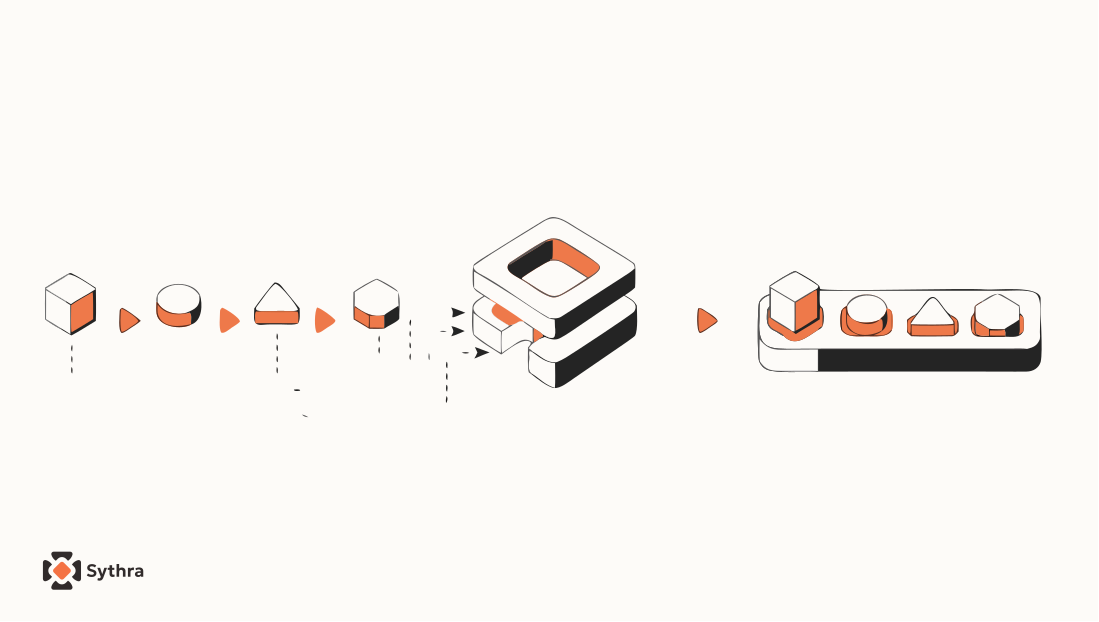
At some point while writing code, you notice something uncomfortable — you're writing the same lines again and again. Same logic, different place. And every time something needs to change, you have to hunt down every copy and fix each one. That's not programming, that's busywork.
Functions in Python exist to solve exactly this. You write a set of instructions once, give that set a name, and from that point forward you just use the name — Python handles the rest. This page covers how functions work: calling them, defining your own with def, parameters vs arguments, and why local variables don't leak outside a function.
What you will learn
- The vocabulary: function, argument, parameter, return value
- How to define a function with
defand call it - Composition — nesting function calls inside each other
- The flow of execution when functions call other functions
- Why variables created inside a function disappear outside it
- The difference between fruitful and void functions
Calling a function you already know
You've already called a function without thinking about it:
type(32)
# <class 'int'>
type is the function name. 32 is what you're handing to it — called the argument. What comes back — <class 'int'> — is the return value. That's the full picture of a function call: you give it something, it gives something back. A function takes an argument and returns a result — you'll hear these words constantly.
Writing your own functions
Using built-in functions is one thing. Writing your own is where programming starts feeling like actual creation.
def print_lyrics():
    print("I'm a lumberjack, and I'm okay.")
    print("I sleep all night and I work all day.")
The def keyword tells Python a new function is being defined. The name follows, then parentheses, then a colon — this first line is called the header. Everything indented below is the body, the instructions that run when the function is called.
Once defined, you call it exactly like any built-in, and since it's now a named, reusable thing, you can use it inside another function too:
def repeat_lyrics():
    print_lyrics()
    print_lyrics()

repeat_lyrics()
Write once, use anywhere. That's the whole point.
Composition: nesting things together
Python lets you nest expressions inside function calls, and function calls inside other function calls. Python evaluates from the inside out — innermost expression first, then outward.
import math

x = math.sin(degrees / 360.0 * 2 * math.pi)
x = math.exp(math.log(x + 1))
You can compose almost anything this way, with one firm rule: the left side of an assignment must always be a plain variable name, nothing else.
minutes = hours * 60   # fine
hours * 60 = minutes   # SyntaxError
Define before you call
One rule that trips up beginners early: you must define a function before you call it. Python reads top to bottom, so if you call a function before its definition exists, it simply doesn't know what you're talking about.
# crashes — repeat_lyrics isn't defined yet
repeat_lyrics()

def repeat_lyrics():
    print_lyrics()
# works fine
def repeat_lyrics():
print_lyrics()
repeat_lyrics()The definition doesn't run the code inside — it just registers the function. The body only executes when you actually call it.
The flow of execution
Python runs your program top to bottom, one statement at a time. But a function call interrupts that flow — it's like a detour. Python jumps into the function body, runs everything there, then comes back to exactly where it left off.
Functions can call other functions, which can call yet more functions. Python keeps careful track of where it is at every level, and once each function finishes, it returns control to whatever called it. The practical takeaway: when reading someone else's code, don't always read top to bottom — follow the flow of execution instead, since that's how the program actually runs.
Parameters and arguments
When a function needs input to do its work, you define parameters — placeholders inside the function that receive the values you pass in.
def print_twice(bruce):
    print(bruce)
    print(bruce)

print_twice('Spam')                # Spam \n Spam
print_twice(17)                    # 17 \n 17
print_twice(math.cos(math.pi))     # -1.0 (twice)
Here bruce is the parameter. When you call print_twice('Spam'), the string 'Spam' is the argument — it gets assigned to bruce for the duration of that call. Arguments are evaluated before being passed in, so math.cos(math.pi) gets computed to -1.0 first, and that value is what the function receives.
Variables are local — they don't escape
Any variable you create inside a function is local — it exists only within that function's walls, and disappears the moment the function ends.
def cat_twice(part1, part2):
    cat = part1 + part2
    print_twice(cat)

cat_twice('Bing tiddle ', 'tiddle bang.')
print(cat)   # NameError — cat is gone
Parameters are local too. bruce from print_twice doesn't exist anywhere outside that function. This is intentional — it keeps functions self-contained and prevents different parts of your program from accidentally interfering with each other. Python tracks each active function's own local variables in a stack — a layered structure where each call gets its own frame. When reading an error, always read the traceback bottom-up: the actual error is at the bottom, the call history is above it.
Fruitful vs void functions
Not all functions behave the same way after they run. Some give you something back — these are called fruitful functions. Others just perform an action and return nothing — these are void functions.
# Fruitful — gives you a value to use
x = math.sqrt(25)   # x = 5.0

# Void — acts, but returns nothing
result = print_twice('Bing')
print(result)   # None
None is not the string 'None' — it's a special value with its own type, NoneType. It's Python's way of saying "this function completed, but had nothing to return." A subtle trap: if you call a fruitful function but don't store or print the result, it vanishes silently — no error, no output, just gone. See Fruitful Functions in Python for how to write functions that return real values on purpose.
Why even bother with functions?
The reasons become obvious as programs grow:
- Readability — a well-named function tells you what is happening without making you read every line
- No repetition — write the logic once, use it everywhere; fix it once, it's fixed everywhere
- Easier debugging — test each function in isolation before assembling the full program
- Reusability — a good function can be lifted out and used in completely different programs
Functions are the first real step toward thinking like a software engineer — breaking a big problem into small, named, independently solvable pieces.
Common mistakes
- Calling a function before it is defined, causing a
NameError - Expecting a local variable to exist outside the function it was created in
- Assuming a void function returns something useful — it returns
None - Forgetting that arguments are evaluated before the function runs, not lazily
Common questions
What is a function in Python?
A function is a named, reusable block of code defined with the def keyword. You call it by name, optionally pass it arguments, and it can return a value back to you.
What is the difference between a parameter and an argument?
A parameter is the placeholder name inside the function definition (def print_twice(bruce)). An argument is the actual value you pass in when calling the function (print_twice('Spam')).
Why do I get a NameError when I call a function before defining it?
Python executes top to bottom. A function must be defined with def before the line that calls it, otherwise Python has not registered the name yet and raises a NameError.
Why can't I access a variable created inside a function?
Variables created inside a function are local — they exist only while that function is running and are destroyed when it returns. Trying to use them outside raises a NameError.
What is the difference between a fruitful function and a void function?
A fruitful function uses return to hand back a value you can store or use in an expression. A void function performs an action (like printing) but returns None.
Explore
Related topics
Keep going — these sit next to this concept in a real learning path.
Fruitful Functions in Python
Return values, incremental development, and boolean functions.
Functions in Python in Depth: The Complete Guide
Default args, *args/**kwargs, lambdas, and scope — all in one.
Built-in Functions in Python
type(), len(), range(), and the functions always available.
Libraries and Modules in Python
import, from ... import, and the math/random modules.
Python course hub
All free Python explainers and the path into Agentic practice.