
Classes and Methods in Python (self, __init__, Operator Overloading)
A method is a function defined inside a class, called with dot notation, whose first parameter (self) refers to the instance it was called on. __init__ sets up attributes at creation, __str__ controls how an object prints, and methods like __add__ let you overload operators for your own classes.
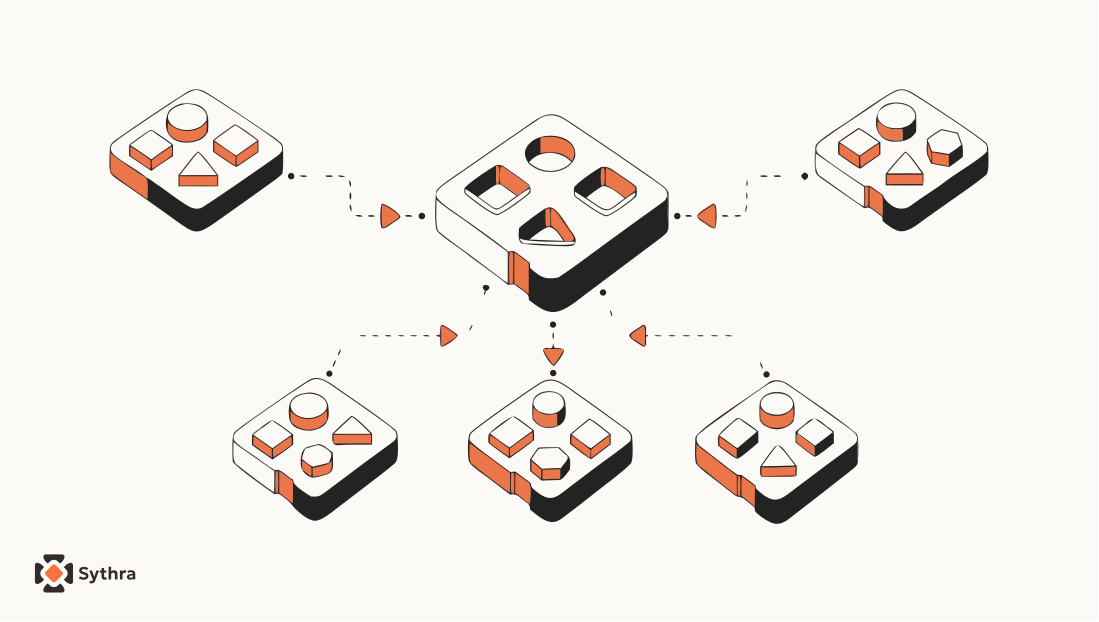
In Classes and Functions, you had a Time class and, sitting somewhere outside it, a pile of functions — print_time, add_time, increment, valid_time. They all work with Time objects, but nothing in the code says so. You could accidentally pass a Rectangle into add_time and Python would happily try to add up its attributes before crashing in a confusing way.
This article fixes that by moving functions inside the class where they belong. When a function lives inside a class and operates on instances of that class, it is called a method. You have already been using methods — word.upper(), my_list.append(3) — but you have never written your own. Now you will.
What you will learn
- How to turn a standalone function into a method, and what
selfmeans __init__— setting up every attribute in one line at creation time__str__— controlling whatprint(obj)actually shows- Operator overloading with
__add__and__radd__ - Type-based dispatch and polymorphism
- Debugging with
__dict__andgetattr - Interface vs. implementation — why it matters for changing code safely
Turning a function into a method
Methods are semantically identical to functions. The only differences: they're defined inside the class body (indented under the class), they're called with dot notation on an instance, and by convention the first parameter is called self — referring to the instance the method was called on.
Here is print_time as a standalone function:
def print_time(t):
    print(f'{t.hour:02d}:{t.minute:02d}:{t.second:02d}')
To turn it into a method, move it inside the class and rename its first parameter self:
class Time:
    def print_time(self):
        print(f'{self.hour:02d}:{self.minute:02d}:{self.second:02d}')
The body did not change at all — only the parameter name and the indentation. Now there are two equivalent ways to call it:
Time.print_time(start)    # function-style: pass the object explicitly
# → 09:45:00

start.print_time()        # method-style: the object before the dot IS self
# → 09:45:00
Method style is what you'll use almost always. When you write start.print_time(), Python automatically passes start as self. Inside the method, every reference to the object's attributes goes through self — self.hour is the same as start.hour.
Here's is_after as a method — when a method needs two instances, the convention is to name them self and other:
# inside class Time:
def is_after(self, other):
    return self.time_to_int() > other.time_to_int()

end.is_after(start)
# → True
Read it out loud: "end is after start?" Yes, True. That's one of the nicest things about well-written object-oriented code — it reads like what it actually does.
The __init__ method
Remember how awkward it was to set up a Time object manually — three lines just to get a 9:45 start time? Python has a solution: a special method called __init__ (two underscores on each side). When you instantiate an object by calling Time(), Python automatically calls __init__ on the new instance, forwarding any arguments you passed:
class Time:
    def __init__(self, hour=0, minute=0, second=0):
        self.hour   = hour
        self.minute = minute
        self.second = second
With this in place, creating a Time is much cleaner:
time = Time()           # all defaults → 00:00:00
time = Time(9)          # override hour → 09:00:00
time = Time(9, 45)      # override hour and minute → 09:45:00
time = Time(9, 45, 30) # override all three → 09:45:30The __str__ method
The second special method you should almost always write is __str__. It tells Python how to convert your object to a string — which determines what happens when you print it. Without it, printing gives you that ugly memory address.
# inside class Time:
def __str__(self):
    return f'{self.hour:02d}:{self.minute:02d}:{self.second:02d}'

time = Time(9, 45)
print(time)
# → 09:45:00
Python calls __str__ automatically whenever it needs a string version of your object — you never call it directly.
Operator overloading
Python's operators — +, -, *, <, == — are not hardwired to numbers. They're calls to special methods. When Python sees a + b, it looks for a method called __add__ on a and calls a.__add__(b). This means you can define + for your own class:
# inside class Time:
def __add__(self, other):
    seconds = self.time_to_int() + other.time_to_int()
    return int_to_time(seconds)

start    = Time(9, 45)
duration = Time(1, 35)
print(start + duration)
# → 11:20:00
Two things happen silently: start + duration calls start.__add__(duration), returning a new Time; then print calls __str__ on that result. Changing the behavior of an operator to work with a user-defined type is called operator overloading.
Type-based dispatch
What if start + duration should work whether duration is a Time object or a plain integer of raw seconds? Check the type of other inside __add__:
# inside class Time:
def __add__(self, other):
    if isinstance(other, Time):
        return self.add_time(other)
    else:
        return self.increment(other)

print(start + duration)    # Time + Time → 11:20:00
print(start + 1337)        # Time + int  → 10:07:17
Choosing which path to take based on the type of the argument is called type-based dispatch. But what about 1337 + start — integer plus Time? Python first asks the integer to add a Time; integers don't know how, so Python then looks for __radd__ ("right-side add") on the Time:
# inside class Time:
def __radd__(self, other):
    return self.__add__(other)

print(1337 + start)
# → 10:07:17
Polymorphism
Polymorphism just means a single function can work correctly with multiple different types. Python's built-in sum works on any sequence whose elements support addition. Since you defined __add__ for Time, sum works on a list of Time objects — for free:
t1 = Time(7, 43)
t2 = Time(7, 41)
t3 = Time(7, 37)
total = sum([t1, t2, t3])
print(total)
# → 23:01:00
Nobody wrote sum for Time — it was written for numbers. But because Time now speaks the + language via __add__, sum works on it too. By implementing standard interfaces (__add__, __str__, __init__), your custom class plugs into the whole Python ecosystem without extra effort.
Debugging: __dict__ and getattr
A sneaky bug becomes possible once you work with classes: if two instances of the same class end up with different sets of attributes, things break in mysterious ways far from where the problem started. Rule of thumb: initialize every attribute your class will ever use inside __init__.
hasattr checks one attribute at a time. For a full picture in one shot, use __dict__ — a dictionary mapping every attribute name to its current value:
p = Point(3, 4)
print(p.__dict__)
# → {'x': 3, 'y': 4}
Here's a handy utility that prints all attributes of any object:
def print_attributes(obj):
    for attr in obj.__dict__:
        print(attr, getattr(obj, attr))
getattr(obj, name) retrieves the attribute named name from obj, where name is a string — the programmatic version of obj.name, useful when looping over attribute names rather than hardcoding them.
Interface vs. implementation
The interface of a class is what it promises to do — the methods it provides and what they do from the outside. The implementation is how it does it internally. Time's interface includes methods like time_to_int, is_after, and add_time. The current implementation stores hour, minute, and second as separate attributes — but you could store total seconds instead, and the interface stays identical:
# Alternative implementation: store as total seconds
class Time:
    def __init__(self, hour=0, minute=0, second=0):
        self._seconds = hour * 3600 + minute * 60 + second

    def time_to_int(self):
        return self._seconds    # trivial now!

    def is_after(self, other):
        return self._seconds > other._seconds    # trivial now!
If you design the interface carefully — making all external code use methods, never touching attributes directly — you can swap the entire implementation without touching any code outside the class. This is called information hiding, one of the foundations of maintainable software.
The full Time class
Here is a complete, well-designed Time class with everything together:
class Time:

    def __init__(self, hour=0, minute=0, second=0):
        self.hour   = hour
        self.minute = minute
        self.second = second

    def __str__(self):
        return f'{self.hour:02d}:{self.minute:02d}:{self.second:02d}'

    def time_to_int(self):
        return self.hour * 3600 + self.minute * 60 + self.second

    def is_after(self, other):
        return self.time_to_int() > other.time_to_int()

    def __add__(self, other):
        if isinstance(other, Time):
            total = self.time_to_int() + other.time_to_int()
        else:
            total = self.time_to_int() + other
        return int_to_time(total)

    def __radd__(self, other):
        return self.__add__(other)


def int_to_time(seconds):
    # This stays outside the class — there is no instance to call it on
    t = Time()
    minutes, t.second = divmod(seconds, 60)
    t.hour, t.minute  = divmod(minutes, 60)
    return t
Notice int_to_time stays outside the class — it would be awkward as a method, since it doesn't operate on an existing Time, it creates one from scratch. Not every function that works with a class needs to be a method.
Common mistakes
- Forgetting
selfas the first parameter of a method - Calling
obj.method(x, y)and expecting only two arguments to matter —selfis silently the third - Not writing
__str__, then being confused by the ugly memory address printed for an object - Overloading an operator to mean something unrelated to its usual meaning
- Accessing attributes directly from outside the class instead of through methods, making future changes to the implementation risky
Common questions
What does self mean in a Python method?
self refers to the specific instance a method was called on. When you write obj.method(), Python automatically passes obj as the first argument, self, so the method knows which object's attributes to read or change.
What does __init__ do in Python?
__init__ is a special method Python calls automatically whenever a new instance is created. It's used to set up the object's initial attributes in one step, instead of assigning them manually after creation.
Why should every class define __str__?
Without __str__, printing an object shows an unhelpful memory address like <__main__.Time object at 0x...>. Defining __str__ lets you control exactly what text appears when the object is printed or used in an f-string.
How do you overload the + operator in Python?
Define an __add__ method on your class. When Python evaluates a + b, it calls a.__add__(b). If a's class doesn't know how, Python falls back to b.__radd__(a), which is why classes often define both.
What is the difference between interface and implementation in a class?
The interface is what a class's methods promise to do from the outside; the implementation is how they do it internally. If external code only calls methods (not raw attributes), you can change the internal implementation freely without breaking anything that depends on the class.
Explore
Related topics
Keep going — these sit next to this concept in a real learning path.
Classes and Objects in Python
Defining classes and attributes — the foundation for methods.
Classes and Functions in Python (Pure Functions vs. Modifiers)
The standalone functions these methods are built from.
The Four Pillars of OOP in Python
Encapsulation, abstraction, inheritance, and polymorphism overviewed.
Python course hub
All free Python explainers and the path into Agentic practice.
Pillar One: Encapsulation in Python
@property, getters/setters, and protecting object invariants.